---
title: "Filter & Search through Document Tables"
url: "https://help.dox2u.com/en/article/filter-search-through-document-tables"
language: "en"
last_updated: "2022-08-16T12:02:56.751Z"
---
# Filter & Search through Document Tables
dox2U lets you search and obtain your documents easily with the help of the search & filter features within each document listing page.
Let’s see how.
**Step 1:** Click on the “Search” button \[magnifying glass icon\] from the action bar.
**Step 2:** Search for any document by typing its name
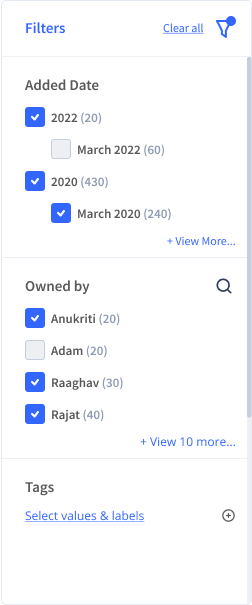
**Step 3:** Use the filter option \[filter icon\] to filter your search results, like Added Date, Size, Document Type, etc. to make retrieval easier.
**🌟Tip: The user can reset the applied filters using the “Reset” button**
Let us have a look at various filters available on document listing pages.
| S.No | Unique Filter | Page |
| --- | --- | --- |
| | | |
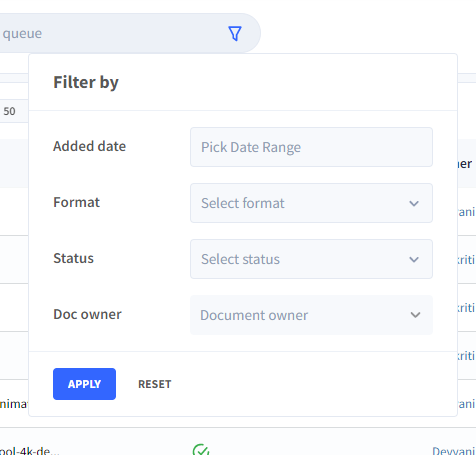
| 1. | - Document Status - whether a document is verified, pending, or deleted. | Workspace Queue |
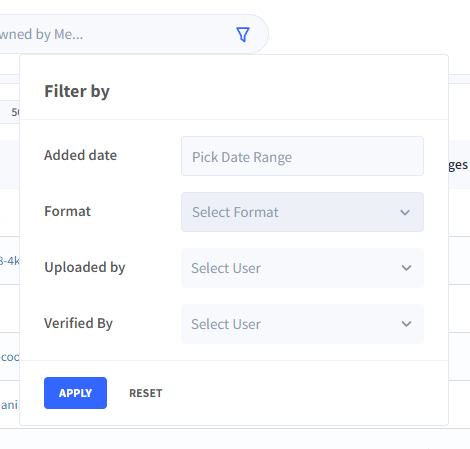
| 2. | - Uploaded by
- Verified by | Owned by Me |
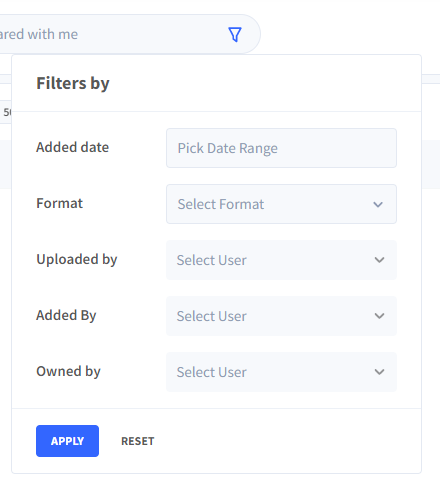
| 3. | - Uploaded By
- Added By
- Owned By | Shared With Me |
Workspace Queue :
Ownerd by me:
Shared by me:
Smart cabinet: